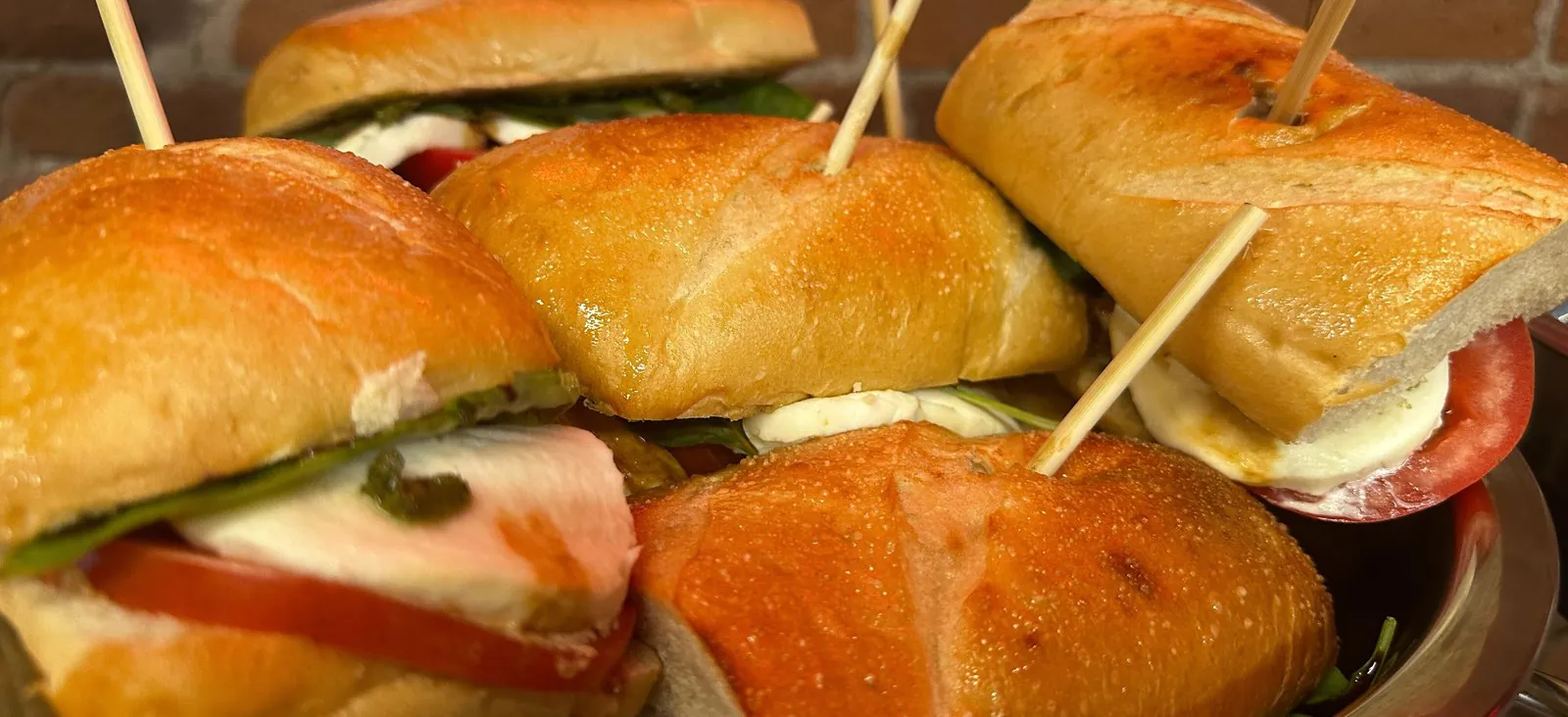
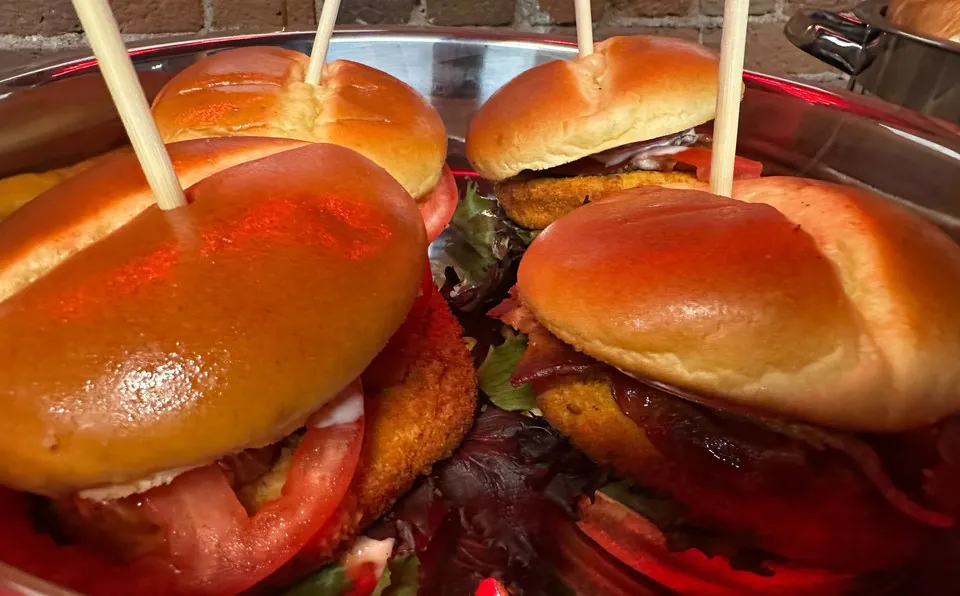
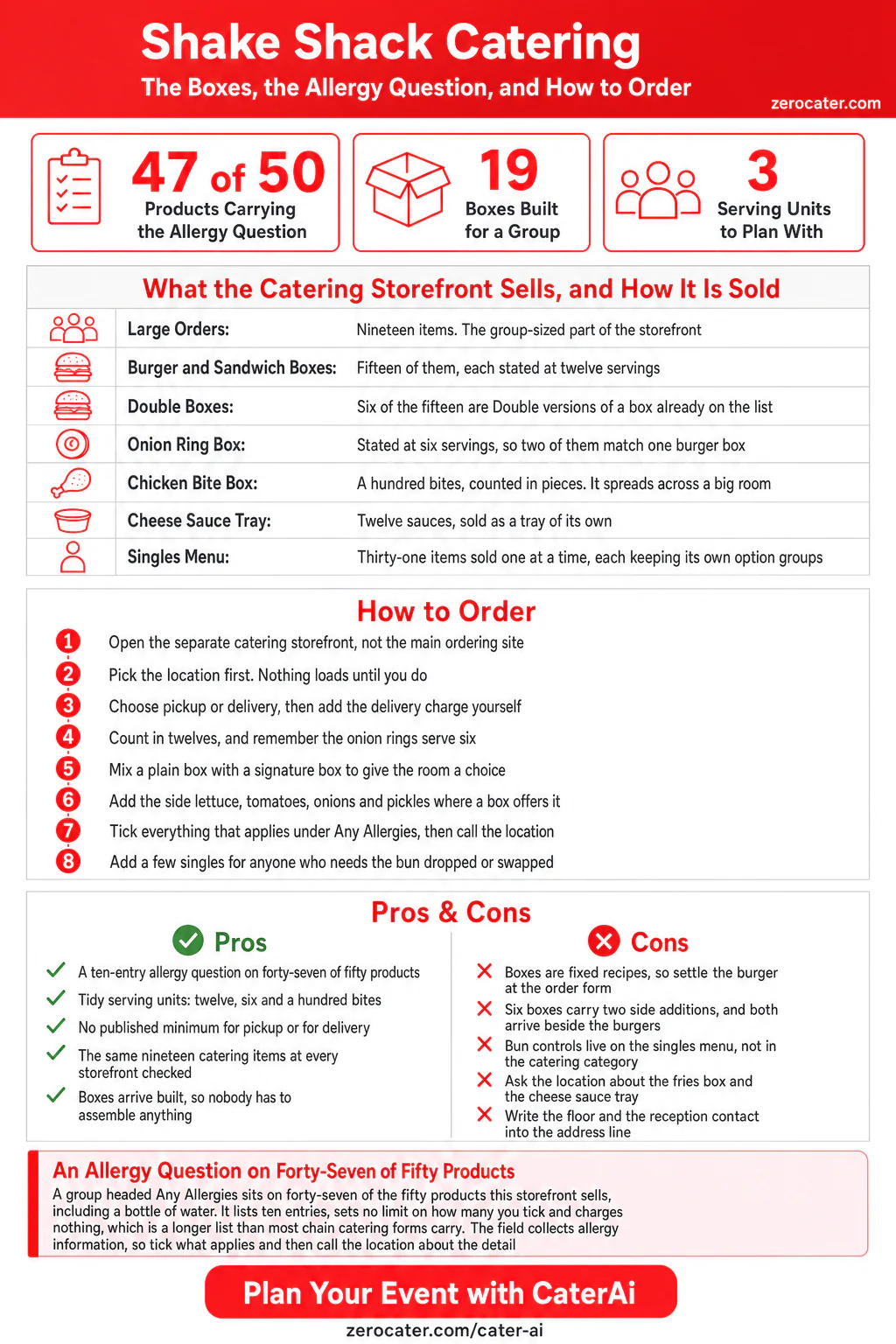
Shake Shack runs its catering on a storefront of its own, separate from the site you would use to grab lunch, and the part built for a group sits in a single category called Large Orders. Nineteen items live there. Fifteen are burger and sandwich boxes stated at twelve servings, one is a box of onion rings, one is a box of chicken bites, one is a tray of cheese sauces, and the last is the delivery charge. Pick a location, pick a box, and the kitchen builds the whole thing for you.
Open any one of those products and you find a group headed Any Allergies? with ten entries under it. That group sits on forty-seven of the fifty products this storefront sells, including a bottle of still water and a fountain soda. It carries no charge, sets no limit on how many entries you tick, and it is a longer list than most chain catering forms carry. If somebody in your room has an allergy, this is the rare chain order form that asks you about it before you reach checkout.
Read the menu that way and it plans itself. You are picking a format and a headcount rather than designing a sandwich, and every box arrives built to the same spec, which is what lets one kitchen turn out twelve servings to the standard it turns out one. The work you keep is the counter: sides beside the burgers, and a room that sorts itself out in the ten minutes after the food lands.
In this guide
- What a Shake Shack catering order contains, group by group
- The allergy question that sits on almost every product, and what it does
- The three products it does not appear on, and what to do about two of them
- How the twelve-serving boxes are built, and which ones carry side additions
- Where the bun controls live, and how to use them alongside a box
- Pickup, delivery and the checkout fields to fill in for an office
What a Shake Shack catering order contains
The catering storefront is a separate site from the one you would use to grab lunch, and you pick a location before any of it loads. What appears afterwards is the restaurant menu plus one extra category. Everything group-sized lives in that category, and the rest of the storefront sells single burgers, single drinks and single sides exactly as the counter does.
| Group | Items | Sold in units of | What it is |
|---|---|---|---|
| Burgers | 11 | One | The counter list, including the vegetarian and portobello builds |
| Chicken | 3 | One | Two sandwiches and a bite portion |
| Sides | 5 | One | Fries, onion rings and a mac and cheese |
| Shakes & Desserts | 1 | One | A single shake |
| Drinks | 10 | One | Lemonades, teas, soda, juice and water |
| Flat-Top Dogs | 1 | One | One griddled hot dog |
| Large Orders | 19 | Twelve, six, or a hundred | The catering part: boxes, a sauce tray and a delivery charge |
Nineteen of fifty. That ratio is the first planning fact, and it shortens the job: head straight for Large Orders and the whole decision is one category wide. The singles around it are not filler either, because they carry the per-person controls that a box hands to your counter. Teams sizing a comparable order from an independent kitchen can browse the Zerocater directory pages for North American catering and sliders, or look at a dedicated burger kitchen such as Burger Bar in Chicago.
Inside Large Orders, the nineteen break down cleanly. Fifteen are burger or sandwich boxes stated at twelve servings, and six of those fifteen are Double versions of a box that also exists in single form. One box holds onion rings at six servings. One holds chicken bites, counted in bites. One is a tray of twelve cheese sauces. The last is a delivery charge, which sits on the menu as a product you add to your own cart.
The allergy question on forty-seven of fifty products
Open any product, scroll the option groups, and you will find one headed Any Allergies? It lists ten choices. It sets no maximum, so you can tick all ten. No choice carries a charge, and nothing is selected for you.
| Where the group appears | Products | Carrying “Any Allergies?” |
|---|---|---|
| Single items, all six groups | 31 | 31 |
| Large Orders | 19 | 16 |
| Whole storefront | 50 | 47 |
Thirty-one of thirty-one is the number that shows how wide the coverage runs. Every single item carries the group, and the singles list includes a bottle of still water, a bottle of sparkling water and an organic apple juice. Nobody wrote a water-specific allergy question. The group sits on the product template rather than on individual recipes, which is why it reaches the whole menu, catering boxes included. For an office manager with an allergy in the room, that is the useful outcome: the question is already on the box you were going to order.
The fries and the cheese sauce: ask the location directly
Three products carry no allergy group. Naming them is worth more than the count, because two of the three are food.
| Product | What it is | Allergy group? |
|---|---|---|
| Crinkle Cut Box, 12 servings | A box of fries with containers and ketchup on the side | No |
| SD – 12 Cheese Sauces | A tray of twelve cheese sauces | No |
| Delivery Charge | A line item, not food | No |
The delivery charge explains itself. For the other two, put the question in the call instead of the cart. A dairy question has an obvious home on a tray of cheese sauce, and this is the item where the form does not offer one, so raise it with the location when you confirm the order. Our guide to dairy-free office catering works through the same question across other menus.
One thing is worth being precise about, in both directions. The Any Allergies group collects allergy information. It is a field on an order form, not a preparation instruction and not a claim about how any item is made, and the storefront publishes nothing about what happens to a ticked entry after that. So use it for what it is. Tick everything that applies, then call the location and have the conversation a form cannot have. Our guide to ordering catering for mixed dietary needs covers what to ask.
What is on the ten-entry allergy list
The storefront returns the ten in this order: tree nut, peanut, gluten, dairy, egg, wheat, soy, shellfish, fish, sesame.
Nine of those ten line up one for one with the major food allergens that United States labelling law names. The tenth is gluten, which is a protein rather than a major allergen, and which overlaps the wheat entry directly above it. A room with a coeliac diner therefore has somewhere to click, and the section on bun controls below covers what to order alongside.
| On the storefront’s list | Named by US labelling law |
|---|---|
| Tree nut, peanut, dairy, egg, wheat, soy, shellfish, fish, sesame | Yes, all nine |
| Gluten | No, and it overlaps wheat |
Read the list as a planning signal. It tells you what the kitchen expects to be asked about, and it is a longer list than most chain catering forms carry. Our guides to allergy-safe boxed lunches and gluten-free office catering go further than any menu field can.
How the twelve-serving boxes are built
A catering box is a fixed recipe, and the option groups say so plainly. Count the groups the storefront attaches to a single burger, then count the groups on the twelve-serving box of the same burger.
| Item | Option groups | What they cover |
|---|---|---|
| ShackBurger, sold singly | 12 | Size, bun, doneness, four separate ingredient groups, sauce placement, three addition groups, allergies |
| ShackBurger Box, 12 servings | 1 | Allergies |
| Cheeseburger, sold singly | 8 | Size, bun, doneness, three addition groups, sauce placement, allergies |
| Cheeseburger Box, 12 servings | 3 | Two side additions, allergies |
The single ShackBurger carries twelve option groups. The twelve-serving box of the same burger carries one, and it is the allergy question. Run the same count across the storefront and the pattern holds: the thirty-one single items carry twenty-five distinct group names between them, while all nineteen Large Orders items carry two. Two names, for nineteen products, at every storefront checked. That is the trade a fixed-spec format makes, and it is the reason a box of twelve holds the same standard as a burger made to order. Settle the recipe at the order form, and leave the adjusting to the counter.
An allergy question on forty-seven of the fifty products, including a bottle of water. Ten entries, no charge, no limit on how many you tick.
Which boxes carry side additions, and which arrive as built
The split runs the opposite way to most guesses. The plainest burgers carry an additions group. The signature builds arrive exactly as the Shack makes them.
| Box | Groups | What the form offers |
|---|---|---|
| Hamburger, Cheeseburger, Bacon Cheeseburger, and the Double of each | 3 | Two side additions, plus the allergy question |
| ShackBurger, Smoke Shack, Chicken Shack, Veggie Shack, ‘Shroom Burger, and the Doubles | 1 | The allergy question |
| Crinkle Cut Box, cheese sauce tray | 0 | Neither group |
Six boxes carry an additions group, and every one of the six is a burger named for its ingredients. Once a burger has a name of its own, the box version arrives as built, and four of those descriptions say so in plain text with the line No modifications available. Use that as a planning tool rather than a constraint: order a plain box for the part of your room that wants something simple, and a signature box for everybody else, in the same cart.
The two side additions, and how to use them at the table
Open one of those six boxes and read the additions group. Two choices, and both begin with the same two words.
| Choice | Where it ends up |
|---|---|
| Add Side Lettuce, Tomatoes, Onions & Pickles | Beside the box |
| Add Side Shack Sauce | Beside the box |
Both put the ingredient beside the burger rather than on it, which is a service decision with a real consequence for how you set the food out. A box of twelve arrives uniform, and the variation happens at your counter, out of a separate container, in the ten minutes after it lands. Order the side lettuce, tomatoes, onions and pickles for a room that likes to build, and the side sauce for a room that does not agree about sauce. Then plan the table the way you would for a mixed-preference office lunch.
Bun changes live on the singles menu
One control matters more than the rest for anyone planning around wheat, and it sits on a different part of the storefront from the boxes. Here is the honest planning fact, stated once so you can order around it.
| Bun control | On single items | On Large Orders items |
|---|---|---|
| “No Bun:” | 12 products | 0 |
| “Gluten Free Bun?” | 1 product, the BLT | 0 |
Twelve single products let you drop the bun. One product on the whole storefront offers a gluten-free bun, and it is the BLT, which is sold one at a time. Neither control appears on a box, so the catering category holds no gluten-free path of its own. Note it once and move on, because the fix is already on the same screen.
Every single item keeps its own option groups, so a short parallel order of singles alongside the boxes does what a box on its own cannot. Two or three singles for the people who need the bun dropped or swapped, plus the boxes for everybody else, goes through as one order at one location. It is more clicks and it is worth the clicks. Our guide to catering for food allergies at work and our vegetarian office catering guide cover the rest of the room.
Twelve, six and a hundred: the serving units
The serving units are tidier than most chain catering menus, with one conversion you make yourself.
| Unit as published | Items | What to plan on |
|---|---|---|
| 12 Servings | 15 boxes | One box per twelve people, and six of the fifteen are Double versions |
| 6 Servings | 1 box, the onion rings | Two of these match one burger box |
| 100 Bites | 1 box, the chicken bites | A raw count, not a serving count |
| 12 Cheese Sauces | 1 tray | Counted in sauces |
The onion rings are the line to watch. A room of twelve fed from one burger box wants two onion ring boxes to match, and six reads like twelve at a glance when every other line on the screen says twelve. The chicken bites ask for the same care, because a hundred bites counts pieces rather than people. Split that however your room eats, the way you would size any short-notice order.
A worked example, for a room of twenty-four. Two twelve-serving burger boxes cover the headcount, and making one of them a plain box and the other a signature box gives the room a choice without a second order. Four onion ring boxes match twenty-four at six servings each, or two if you are treating rings as a shared side rather than a portion a head. One chicken bite box spreads across the same room at roughly four bites each, which suits a long meeting better than a sit-down lunch. Add the side lettuce, tomatoes, onions and pickles to the plain box, tick the allergy entries that apply, and the whole order is four products long.
Pickup, delivery, and what to add at checkout
The storefront offers counter pickup and delivery, and you choose between them before you build the cart. Two details are worth knowing before you plan a drop at an office.
First, the delivery charge is a menu product. It sits in Large Orders between the cheese sauces and the burger boxes, with a name and an id like any other item, so add it yourself rather than waiting for the checkout to work it out. Second, the extra fields at checkout come from the dining room and the kerb. Every storefront checked published seven of them.
| Checkout field | Count | When it applies |
|---|---|---|
| Vehicle make, model and colour | 5 | Curbside pickup orders only |
| Table number | 2 | All orders |
| Company, floor, suite or delivery contact | 0 | Never |
Five of the seven ask about a car and two ask for a table number, so an office delivery needs its own detail written into the standard delivery address line: the floor, the suite and the name on the reception desk. Confirm it by phone for a building with a loading dock or a badge-controlled lift. Teams in a shared building meet this on every order, which is why we wrote about coworking space catering on its own.
The storefronts checked for this guide published no separate minimum for pickup and none for delivery, which is less common than it sounds on a chain catering menu. One box is an order. Compare that with the other chain storefronts in this series: Smashburger publishes two floors, and Noodles & Company publishes its catering list as a pair of downloadable documents. Check your own location before you plan around any of it.
How to order Shake Shack catering for an office
Seven steps, in the order the storefront wants them.
- Open the catering storefront rather than the main ordering site, and pick your location first. Nothing else loads until you do, and the Large Orders list is the same nineteen items at every storefront checked.
- Choose pickup or delivery before you build the cart, then add the delivery charge yourself. It sits on the menu as a product.
- Count in twelves. Fifteen of the boxes state twelve servings, and the onion rings state six, so two of those match one burger box.
- Mix a plain box with a signature box. Hamburger, Cheeseburger and Bacon Cheeseburger carry the two side additions, and the named burgers arrive as the Shack builds them.
- Add the side lettuce, tomatoes, onions and pickles, and the side Shack Sauce, to any box that offers them. Both land beside the burgers for the room to use.
- Tick everything that applies under Any Allergies, then call the location. The field collects the information and the call is where the detail belongs.
- Add a short parallel order of single items for anyone who needs the bun dropped or swapped. Those controls live on the singles menu.
Compare the shape against the other chain storefronts in this series: Whole Foods and BJ’s Wholesale Club sell catering through a retail counter, Atlanta Bread publishes far more about what is in each item, and Five Guys sends the toppings along beside the order.
Where this menu fits an office best
It suits a room that eats the same thing. Twelve servings of one burger, delivered built, with the sides beside them, is a clean answer for a team lunch where nobody is negotiating. It suits an all-hands for the same reason: the units divide easily, and a hundred chicken bites spread further than a hundred of most things. Order it, put it on the counter, and the food looks after itself.
A room with a standing mix of diets wants one more thing in the cart. Each box carries one recipe, so the dietary work happens in a parallel order of singles or in a call to the location, and both of those are worth doing once. Doing them every week, across several vendors, is the point where offices usually want a menu built around the headcount instead of around a box. That is what corporate catering through Zerocater does, and how it works explains the rest. CaterAi builds a spread around your headcount, dietary needs and date from restaurants near your office, and you can adjust the items in the chat before you check out. Teams in New York City and Brooklyn have the widest choice of kitchens to draw on.
This guide is not allergy, dietary or medical advice, and nothing in it rules any item in or out for anyone. Menus, option groups, serving counts and fees are set by Shake Shack and vary by location. Every fact in this guide is read from the brand’s own catering ordering storefront, checked across four storefronts in three states. Confirm the current menu, quantities and timing with your own location, and speak to that location directly about any serious allergy, before you plan around any of it.
Build your office order with CaterAi
Frequently Asked Questions
Does Shake Shack do catering?
Yes, and it runs on a separate storefront rather than on the regular ordering site. You pick a location first, and the menu appears afterwards. What loads is the restaurant list plus one extra category called Large Orders, which holds the nineteen items built for a group. Everything else on the storefront is sold one at a time, the same way you would buy it standing at the counter, and those singles are useful to order alongside a box.
What is on the Shake Shack catering menu?
Seven groups: burgers, chicken, sides, one shake, drinks, one flat-top dog and Large Orders. Large Orders is the catering part. It holds fifteen boxes stated at twelve servings, an onion ring box stated at six, a chicken bite box stated at a hundred bites, a tray of twelve cheese sauces and a delivery charge you add to your own cart. The storefronts checked for this guide, in three states, all carried the same nineteen, so the list you plan against is the list you will see.
Can you customise a Shake Shack catering box?
That depends on the format, and the menu is clearer about it than most chain catering lists. Six of the boxes carry an additions group with two choices in it: a side of lettuce, tomatoes, onions and pickles, and a side of Shack Sauce. Both arrive beside the burgers for the room to use. The other boxes are fixed recipes, and four of them say so in their own descriptions with the line “No modifications available”, which is worth knowing before you order rather than after. Per-person changes live on the singles menu, where every item keeps its own option groups, so a short parallel order of singles covers anyone who needs something specific. If your team would rather build its own plate, read our guide to boxed lunch versus buffet catering before you pick a format.
Does the Shake Shack order form ask about allergies?
It does, on almost everything. A group headed “Any Allergies?” appears on forty-seven of the fifty products, including a bottle of water. It lists ten entries, lets you tick as many as apply and charges nothing, which is a longer list than most chain catering forms carry. Three products do not have it: the fries box, the tray of twelve cheese sauces and the delivery charge. Be precise about what the field is. It collects allergy information, and the storefront publishes nothing about what happens to a ticked entry after that, so tick what applies and then call the location. Our guide to catering for food allergies at work covers that conversation.
Can you order a Shake Shack catering box without the bun?
Bun changes live on the singles menu rather than in the catering category. Twelve of the thirty-one single items carry a “No Bun:” group, and one product on the whole storefront offers a gluten-free bun, the BLT, which is sold one at a time. None of the nineteen Large Orders items carries either control. The practical route is a short parallel order: boxes for the room, plus a few singles ordered without the bun for the people who need that. Our guide to gluten-free office catering walks through what to ask a kitchen as well.
How many people does a Shake Shack catering box feed?
Fifteen of the boxes state twelve servings. The onion ring box states six. The chicken bite box states a hundred bites rather than servings, so it is the one item you convert yourself. The tray of cheese sauces states twelve sauces. Three units and one raw count is the whole arithmetic, which makes the headcount maths easier here than on most chain catering lists. Our guide to office catering costs works the same question across formats.
Does Shake Shack catering deliver?
Yes, and you choose between counter pickup and delivery before you build the cart. Delivery works in one unusual way: the charge for it sits in the Large Orders list as a product, so add it yourself rather than waiting for the checkout to apply it. The checkout’s own extra fields are a table number and a car’s make, model and colour, so write the floor, the suite and the reception contact into the standard delivery address line, and confirm by phone for a building with a loading dock or a badge-controlled lift.
What is the smallest useful Shake Shack catering order?
One box. Every Large Orders item is sold in increments of one, and the storefronts checked for this guide published no separate floor for pickup or for delivery, which is rarer than it sounds on a chain catering menu. That makes the floor a headcount question rather than a spending one: a twelve-serving box suits a room of ten to twelve, and a smaller team is better served by the singles menu, where every item keeps its own option groups. Our guide to budget-friendly office lunches covers the same trade-off across other chains.