You open a chain’s catering menu to build a team lunch, and the side tray of macaroni and cheese says 4,055 Calories. On another chain’s menu, a box of burgers says 370. The two numbers describe different amounts of food.
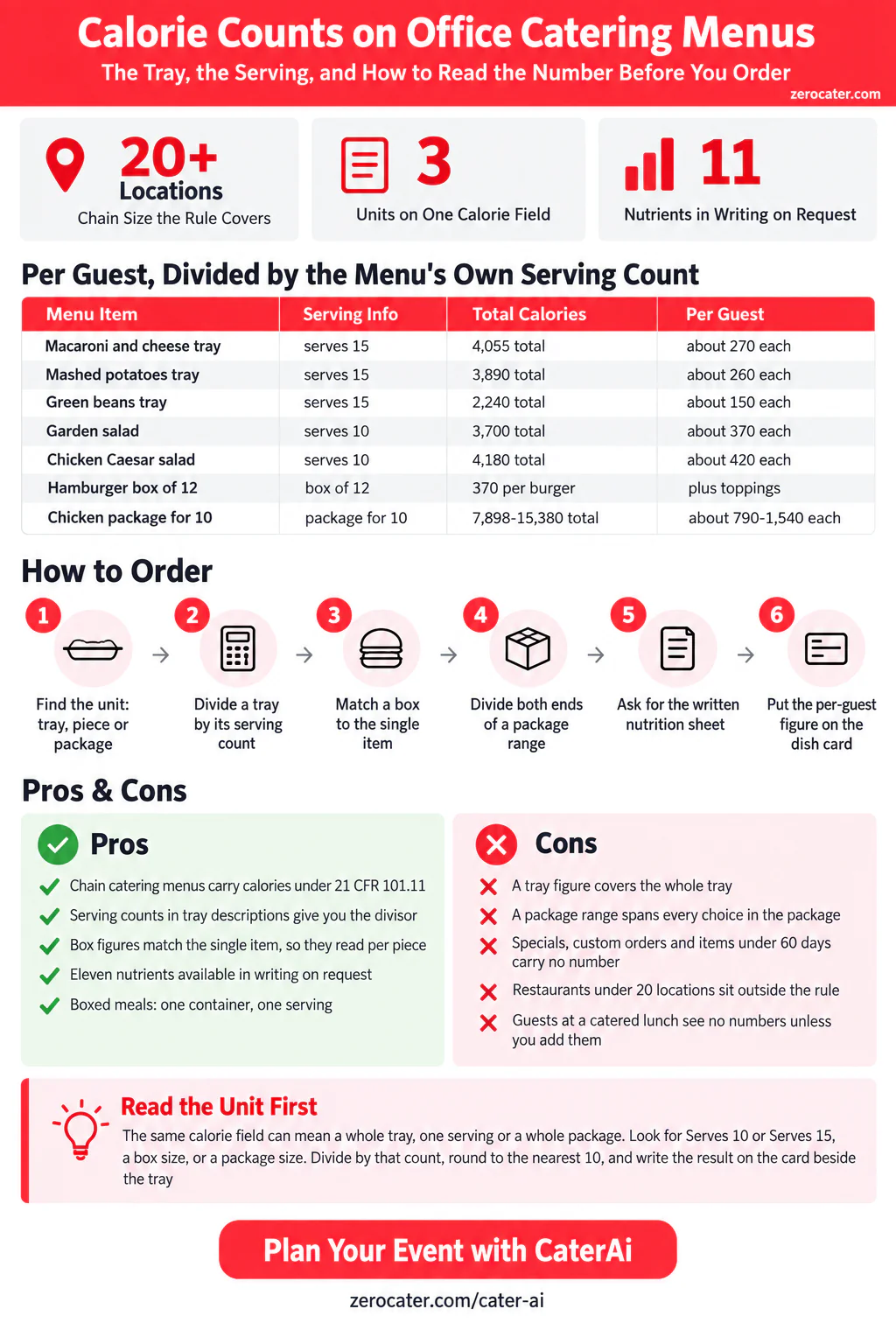
A federal rule puts calorie counts on many restaurant menus, catering menus included, and it lets a restaurant state the number for a whole tray or for one serving. This guide reads that rule, then reads three real catering menus to show the three units you will meet on an order screen. Find the unit, divide by the count, and the number becomes useful for planning.
In this guide
- The rule behind the number
- One field, three units
- Divide the tray by its serving count
- When the box matches the single item
- Ranges, slashes and packages
- The items without a number
- The number stops at your order screen
The rule behind the number
The rule is 21 CFR 101.11, the menu-labeling section of the federal food labeling regulations. It applies to a restaurant that is part of a chain with 20 or more locations doing business under the same name and selling substantially the same menu items. Franchised locations count toward the twenty. A smaller restaurant can register with FDA to come under the rule by choice.
For each standard menu item, meaning a dish the restaurant sells routinely, the menu shows the calories next to the name or the price. The rule rounds those numbers to the nearest 5 calories up to 50, and to the nearest 10 above that. Two sentences also appear on the menu. One reads “2,000 calories a day is used for general nutrition advice, but calorie needs vary.” The other reads “Additional nutrition information available upon request.” That request gets you eleven items in writing, from total calories through fat, sodium, carbohydrate, sugars and protein.
Catering sits inside the rule. FDA’s labeling guide for restaurants answers the question: to the extent a chain’s catering menu meets the rule’s definition of a menu, it has to meet the rule, and “All items listed in the catering menu that meet the definition of a standard menu item would require calorie declarations.” So the catering order screen of a large chain is one of the places you can expect to see calories.
One field, three units
For an item that feeds more than one person, the rule offers two ways to state the number. The menu can give calories for the whole item, which the rule illustrates as “pizza pie: 1600 cal”. Or it can give calories per serving unit, as long as it also states how many units the item holds: “pizza pie: 200 cal/slice, 8 slices”. Both forms describe the same pizza.
Catering menus are full of multiple-serving items, so both forms show up there. For this guide we read one catering storefront each from three chains on the same day: a Golden Corral in Del City, Oklahoma, a Shake Shack catering kitchen on Staten Island, and a Pollo Tropical catering storefront in Miami. Each one shows calories in the same field of its online order form. The field carries a different unit at each.
| Catering menu read | What the line says | The unit behind it | Per guest |
|---|---|---|---|
| Golden Corral, side tray | Macaroni & Cheese, 4,055 Calories, “Serves 15” | The whole tray | About 270 |
| Shake Shack, boxed burgers | Hamburger Box, 12 Servings, 370 Calories | One burger (matches the single Hamburger) | 370 plus toppings |
| Pollo Tropical, package | Classic Pollo Package for 10, 7,898-15,380 Calories | The whole package, across its choices | About 790 to 1,540 |
The number alone does not tell you which unit you are reading. The description, the serving count in the name, or the matching single item tells you. Read those first.
Divide the tray by its serving count
Golden Corral’s party trays state calories for the whole tray, and each description closes with a serving count such as “Serves 10” or “Serves 15”. The serving count is the divisor. The table below divides each tray on the menu we read and rounds the result the way the rule rounds, to the nearest 10.
| Party tray | Calories on the menu | Description says | Divided by the serving count |
|---|---|---|---|
| Macaroni & Cheese | 4,055 | Serves 15 | About 270 |
| Mashed Potatoes | 3,890 | Serves 15 | About 260 |
| Green Beans | 2,240 | Serves 15 | About 150 |
| Garden Salad | 3,700 | Serves 10 | About 370 |
| Chicken Caesar Salad | 4,180 | Serves 10 | About 420 |
| Cobb Salad | 4,830 | Serves 10 | About 480 |
| Pot Roast (2 roasts) | 2,390 | Serves 10 | About 240 |
| Meatloaf | 2,175 | Serves 6 | About 360 |
| Bourbon Street Chicken | 10,700 | Serves 10 | About 1,070 |
Read this way, a tray of green beans gives each of fifteen guests about 150 calories, and the garden salad gives each of ten guests about 370 before the dressing choice. The serving count is the restaurant’s own planning figure. If your team takes larger portions of the macaroni and fewer of the salad, the shares move with them.
The same menu also lists Bourbon Street Chicken twice, once as an individually packaged meal at 826-1146 Calories and once as a tray at 10,700 Calories that serves ten. Divide the tray and each guest’s share comes to 1,070. The two lines describe two formats of one dish, and the per-guest figure for the tray lands inside the range printed for the packaged meal.
When the box matches the single item
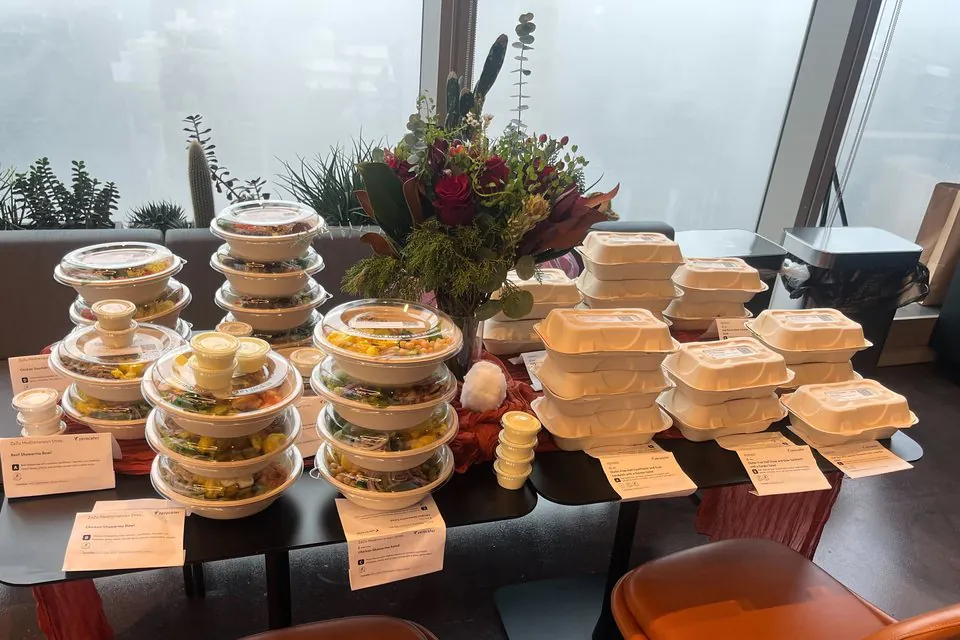
Shake Shack’s catering menu sells burgers, fries and chicken sandwiches in boxes of twelve. Each box shows one calorie figure, and that figure equals the figure for the same item ordered on its own from the same menu.
| Box (12 servings) | Calories on the box | Same item, ordered single |
|---|---|---|
| Hamburger Box | 370 | Hamburger: 370 to 560 |
| Crinkle Cut Box | 470 | Fries: 470 |
| Chicken Shack Box | 550 | Chicken Shack™: 550 |
| Veggie Shack™ Box | 630 | Veggie Shack™: 630 |
So the number on a box of twelve is a per-piece number. A box of twelve hamburgers at 370 Calories means 370 for each burger as the menu lists it, which is the plain burger. The single Hamburger line reads 370-560 because it carries the topping choices. The rule handles toppings this way: the base item gets its own number, and each listed topping gets a number that adds to it. If you add cheese or bacon to the box, add those calories to each burger.
Our Shake Shack catering guide covers how the boxes, the burger bars and the allergy questions on the order form work for an office.
Ranges, slashes and packages
Many catering lines show two numbers. The rule sets the format. Where a menu item comes in exactly two versions and the menu does not list them, the calories appear with a slash, such as “150/250 calories”. Where it comes in three or more, they appear as a range, such as “100-250 calories”. The low end is the plainest version on the list, and the high end is the richest.
Packages stretch that range further. Pollo Tropical’s Classic Pollo Package for 10 shows 7,898-15,380 Calories. The description explains why: the package starts with a quarter chicken, any rice, black beans and rolls, and lets you move up to a half chicken or a quarter chicken with pork. The range spans those choices for the whole group of ten. Divide both ends by ten and each guest’s share runs from about 790 to 1,540, and the choices you make on the order form decide where your lunch lands.
Our Pollo Tropical catering guide walks through those package choices, and the Golden Corral catering guide covers the boxed meals and the side trays.
The items without a number
Some lines on a chain’s menu carry no calories, and the rule explains several of them. It covers standard menu items only, and it names what falls outside:
- Daily specials. A dish offered on one day and promoted as that day’s special.
- Temporary items. Anything on the menu for less than a total of 60 days in a calendar year.
- Market tests. A new item tested for less than 90 consecutive days.
- Custom orders. The rule’s own example is “a club sandwich without the bacon”. Once you change the recipe, the printed number describes the menu version, not yours.
- Condiments for general use. The ketchup and hot sauce on the counter.
The rule also stops at the chain threshold. A local restaurant with a few locations sits outside it unless it registers by choice. Many of those kitchens know their numbers anyway, so ask. For lunches built around specific needs, our guides to low-sodium office catering and keto office catering cover what to ask for.
The number stops at your order screen
The rule follows the menu, and the menu belongs to the restaurant. FDA’s guide takes up two questions that matter to an office. A company that buys food from a chain and serves it free in its own executive dining room is not a covered establishment, so that dining room owes no calorie information. A catered event works the same way: the guide says that “the catered event would not be required to provide calorie information” to its guests, and that the customer who orders from the catering menu has no duty to pass the numbers on.
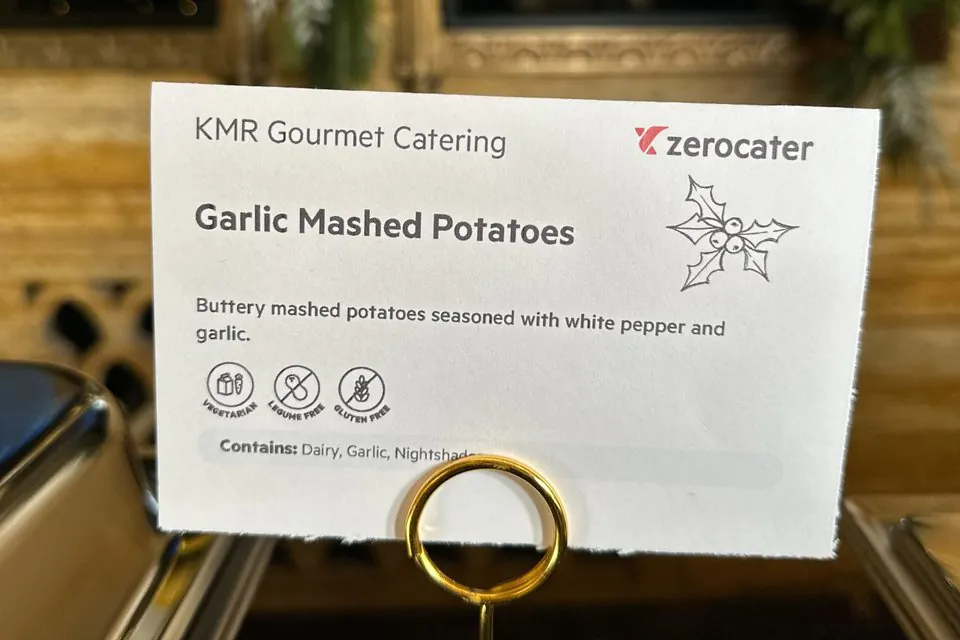
That puts the numbers in your hands at the moment you order, and nowhere else. The guests at the buffet see the food and whatever cards sit beside it. If your team wants calories at the table, you carry them there, and the tray division above gives you the figures.
Use this table when you read the order screen:
| What you see on the line | What to do with it |
|---|---|
| A big number and “Serves 10” or “Serves 15” | Divide by the serving count for each guest’s share |
| A number on a box of 12 that matches the single item | Read it as one piece, then add any toppings |
| A range on a package for 10 | Divide both ends by ten, then let your choices set where you land |
| A slash, such as 150/250 | Two versions: pick yours |
| No number at all | Ask the restaurant, or check whether the item is a special or a custom order |
Then add the per-guest figure to each dish card, labeled as an estimate from the restaurant’s own serving count. Keep the card to the dish and its number. Your team can do the rest.
Plan a team lunch with CaterAi
Order with the numbers in hand
A few choices at the order screen make the numbers easier to use:
- Prefer items with a serving count. A tray that states “Serves 10” gives you a divisor. A tray that states only a weight leaves you to guess the portion.
- Order the plain version and put the toppings on the side. The base number then describes what is in the tray, and each guest adds their own.
- Write down the low end of every range. Then note the choice that moves you up the range, such as a half chicken in place of a quarter.
- Ask for the written nutrition sheet when a guest needs more than calories. The eleven items include sodium, sugars and protein.
- Consider individually packed meals when the numbers matter to the room. One container is one serving, so the number on the line is the number on the plate. Our guide to boxed lunches versus buffets compares the two formats, and boxed meal catering lists partners by city.
Calories are one input into a menu. For the composition side, protein, fiber and the afternoon slump, our healthy office catering guide goes further, and the guide to ordering for mixed dietary needs covers a room with several restrictions at once. A party tray guide covers the tray format itself.
Where Zerocater fits
Zerocater handles the catering side of an office lunch. For ongoing office catering, Zerocater manages the rotation across a network of local catering partners, and how it works explains the ordering side. For a single lunch, CaterAi drafts a menu from a plain description of the event. Tell it the headcount and that you want lighter options and dressings on the side.
The arithmetic stays with you. Read the unit on each line, divide by the serving count, and write the result on the card beside the tray.
Plan a team lunch with CaterAi
Frequently Asked Questions
Do catering menus have to show calories?
Under the federal menu-labeling rule, 21 CFR 101.11, a restaurant that belongs to a chain with 20 or more locations under the same name, selling substantially the same menu items, puts calories next to its standard menu items. FDA’s labeling guide for restaurants says a chain’s catering menu counts as a menu under the rule, and that every standard menu item on it needs a calorie declaration. A restaurant outside that rule can still print the numbers by choice.
Why does a catering tray show several thousand calories?
The rule lets a menu state calories for a multiple-serving item as a whole, or per serving unit with the number of units stated. A tray listed at 4,055 calories with “Serves 15” in its description is a whole-tray figure. Divide by fifteen and each guest’s share is about 270 calories.
How do I work out calories per person from a catering menu?
Find the unit first. If the description gives a serving count, divide the tray figure by it. If the number matches the single item on the regular menu, it is already per piece. If it is a range on a package for ten, divide both ends by ten and remember that the choices you make in the package move you along that range.
What does a calorie range like 500-760 mean?
A range covers an item that comes in more than two versions, such as a burger with a choice of toppings. The rule writes two options with a slash, such as 150/250, and three or more as a range. The lower number is the plainest version on the list.
Do I have to show calories to guests at a catered office lunch?
No. FDA’s guide says a catered event, like a company’s own dining room, is likely not a covered establishment, and that a customer ordering from a catering menu does not have to pass the calorie numbers on to guests. If your team wants the numbers at the table, you carry them there yourself.
Which menu items can leave the calorie number off?
The rule leaves out daily specials, custom orders, condiments for general use, items on the menu for less than 60 days in a calendar year, and market tests that run for less than 90 consecutive days. A sandwich ordered without its usual bacon is a custom order, so the printed number describes the sandwich as the menu lists it.